WinBubble Customizes Vista Icons and Context Menus With Ease
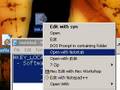
Windows Vista only: System tweaking application WinBubble is one of those gems with a killer feature you wouldn't expect—you can add items to context menus and customize certain system icons.
WinBubble is very similar to most tweaking applications—including previously mentioned Ultimate Windows Tweaker—but the best features can be found on the Icons and Miscellaneous tabs, where you can customize certain system icons and add your own custom menu entries to the system context menus. Ever wanted to quickly add a new tool to the desktop context menu? No problem! This feature alone makes this no-installation-required software a great addition to your flash drive toolkit, and worth a look for anybody looking to customize their desktop.
Read the whole story on Lifehacker or try our Toolbar